• Skip to main content
  • Skip to main navigation
Baylor University Baylor University
Louise Herrington School of Nursing
  • About
    • Accreditation
    • Welcome from the Dean
    • Leadership
    • Dean's Board of Advocates
      • Board Member List
    • LHSON Mission Statement and Motto
    • LHSON Overview
      • LHSON History
    • Location & Contact Info
      • Driving Directions
    • News and Media
      • Baylor Brand Guide
      • Baylor Student Nurses Summer Camp 2026
      • Bears of Light Podcast
      • Magazine - Learn.Lead.Serve.
      • News Stories & Blogs
      • Pinning & Recognition Ceremony - May 15, 2026
      • White Coat Ceremony -March 20, 2026
      • Videos
    • Alumni & Friends - LHSON
      • Alumni Connect - Nursing Group
      • Alumni Reunion 2023 - photo Powerpoint
      • Alumni Reunion 2026
      • LHSON Central Texas Nursing Alumni - Spring Meet & Greet Reception
      • Pre-Nursing End of Year Farewell Party
    • Events
    • Facilities & Classroom Tech
    • Information Technology
      • Examsoft
      • LHSON IT Staff
      • Recommended Minimum Laptop Requirements
    • Hazardous Weather
    • STTI Eta Gamma Chapter
      • STTI - The Circle
      • Sigma Scholarships
    • Awards at LHSON
      • Daisy Award LHSON Recipients
      • The DAISY Award at LHSON
      • The Learn.Lead.Serve Award Recipients
      • The Learn.Lead.Serve Award
  • Academics
    • Pre-Nursing
    • Undergraduate BSN Program & Resources
      • Traditional BSN Track
      • FastBacc
      • Distance Accelerated BSN Program Track
      • Undergraduate Handbook
      • Preceptor Support for Undergraduate
    • Graduate Program and Resources
      • DNP Adult Gerontology Acute Care Nurse Practitioner - Online Track
      • DNP Executive Nurse Leadership - Online Track
      • DNP Family Nurse Practitioner - Online Track
      • DNP Neonatal Nurse Practitioner - Online Track
      • DNP Nurse Midwifery - Online Track
      • DNP Pediatric Nurse Practitioner - Online Track
      • DNP Psychiatric Mental Health Nurse Practitioner - Online Track
      • DNP U.S. Army Anesthesia Nursing Program
      • Graduate Catalog
      • Criminal History and Occupational License Notice
    • Online Nursing Program Tracks
    • Learning Resource Center
      • LHSON Nursing Resources
      • LHSON Research & Scholarship Opportunities
      • Library Catalog
      • Nursing Databases
    • Clinical Simulation Building
      • 2HeadsR>1
      • Facilities Tour
      • Contact
  • Admissions
    • Undergraduate Admissions
      • Transfer
      • Second Degree (Post Baccalaureate)
      • NursingCAS
      • HESI A2 Information
      • Undergraduate Admission Policies
      • Eligibility for NCLEX-RN
    • Graduate Programs Admission
      • Doctor of Nursing Practice - Online Programs
      • DNP Executive Nurse Leadership - Online Program
      • DNP U.S. Army Anesthesia Nursing Program
    • Tuition and Financial Aid
    • Information Sessions
    • Online DNP Programs
  • Research & Scholarship
    • Research Support
      • Research Support Contacts
    • Grant & Funding Resources
    • Research and Scholarship Events
      • Distinguished Lectureships
      • News
      • Research & Scholarship Showcase hosted by Sigma Eta Gamma Chapter
    • Office for Vice Provost for Research
    • Grant Awards & Funded Projects
    • Research Seminars & Workshops
      • 2021-2022 - Research Seminars & Workshops
      • 2022-2023 - Research Seminar and Workshops
      • 2023-2024 - Research Seminars and Workshops
      • 2024-2025 - Research Seminars and Workshops
      • 2025-2026 - Research Seminars and Workshops
  • Global
    • Baylor Bears Abroad
    • Global Overview
    • Service and Missions Overview
    • Summer 2025 - Global Initiatives
      • India Mission Trip - Summer 2025
      • Kenya Mission Trip - Summer 2025
      • Rio Grande Valley Mission Trip - Summer 2025
      • Study Abroad Vietnam - Summer 2025
      • Zambia Mission Trip - Summer 2025
  • Give
    • Give Now
    • Going for the Gold Gala History
    • LHSON Endowed Scholarship Celebration Dinner 2024
    • LHSON Historical Gallery
    • Endowment Plaques
  • Student Services
    • Student Services Overview
    • Why Baylor? Undergrad Admission Overview
    • Orientation: Electronic Information
    • Current Students
      • Pinning, Graduation & Licensure
    • Barnabas Success Center
      • Academic Support - Career Services
    • Parents in Prayer
    • Spiritual Life
      • LHSON Spiritual Life
      • Missio Program through BU Institute for Faith and Learning
    • LHSON Student Organizations
    • Sparrow House Counseling
    • Student Campus Information
      • Background Check
      • Baylor Student IDs
      • Baylor Student IDs
      • BearID Activation
      • CPR Training Requirement
      • Class Schedules and Textbooks
      • Financial Aid Checklist
      • Health Form
      • Name Badge Requirement
      • Transcripts
      • Uniforms and Equipment
    • Baylor Campus Resources
    • The LHSON Store (food pantry)
    • Student Health Insurance
    • Parents of Students
  • Faculty/Staff
    • Emeritus BU Nursing Faculty
    • LHSON Faculty-Staff Book Club
    • Faculty/Staff Overview
      • LHSON Organizational Chart
    • Administrative Faculty
    • Nursing Faculty Overview
    • Faculty
    • Staff
    • Prospective Faculty & Staff
      • Benefits & Advantages
    • Full-Time Staff Positions
    • Full-Time Faculty Positions
      • Clinical Professor (all ranks)
    • Part-Time Faculty Positions
  • Links
    • The Learn.Lead.Serve Award
Baylor BU Louise Herrington School of Nursing About Facilities & Classroom Tech
  • Accreditation
  • Welcome from the Dean
  • Leadership
  • Dean's Board of Advocates
  • LHSON Mission Statement and Motto
  • LHSON Overview
  • Location & Contact Info
  • News and Media
  • Alumni & Friends - LHSON
  • Events
  • Facilities & Classroom Tech
  • Information Technology
  • Hazardous Weather
  • STTI Eta Gamma Chapter
  • Awards at LHSON

Facilities & Classroom Technology

This page provides information on available technology and spaces at the LHSON Baylor Academic Building to help guide resource use and space reservations.

About the Classroom and Event Spaces 

The Louise Herrington School of Nursing Academic Building offers multiple classroom and event spaces for use by faculty, staff, and students. The spaces provide flexible layouts and a variety of technology for use.

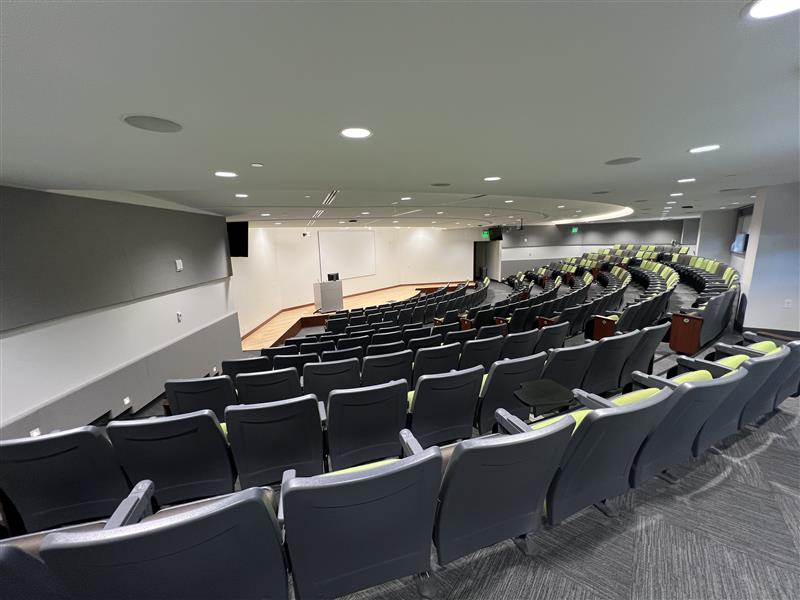
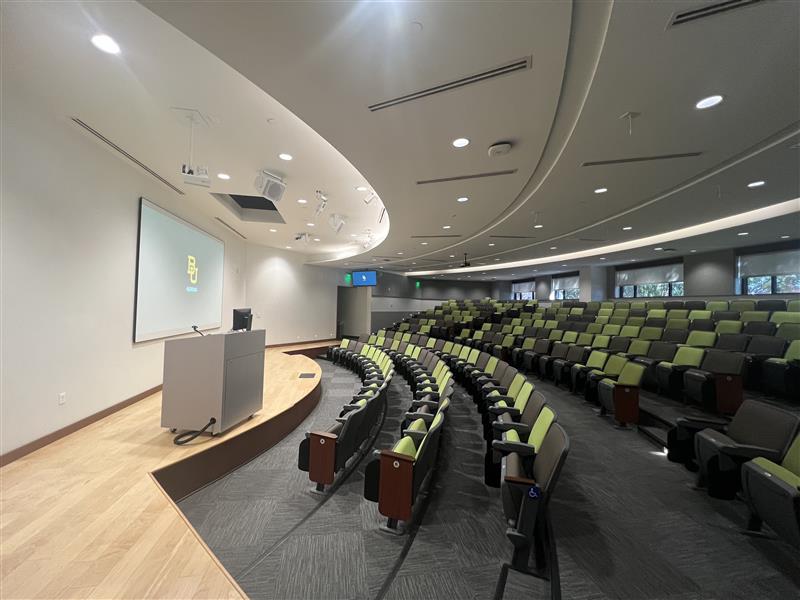
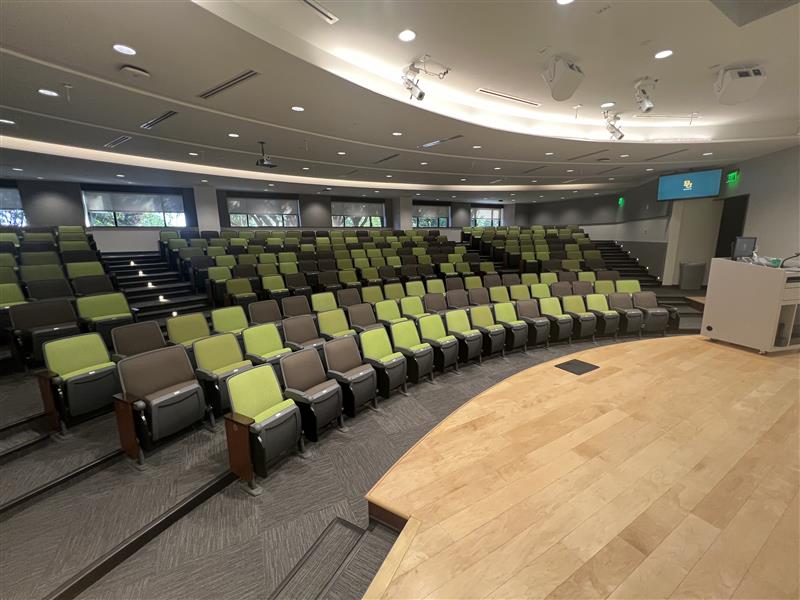
McLane Auditorium 105, located within the Baylor University Louise Herrington School of Nursing Academic Building, is a premier 252-seat auditorium designed to support large-scale events. This state-of-the-art space is ideal for lectures, presentations, and special programs that engage the LHSON and broader Baylor community.

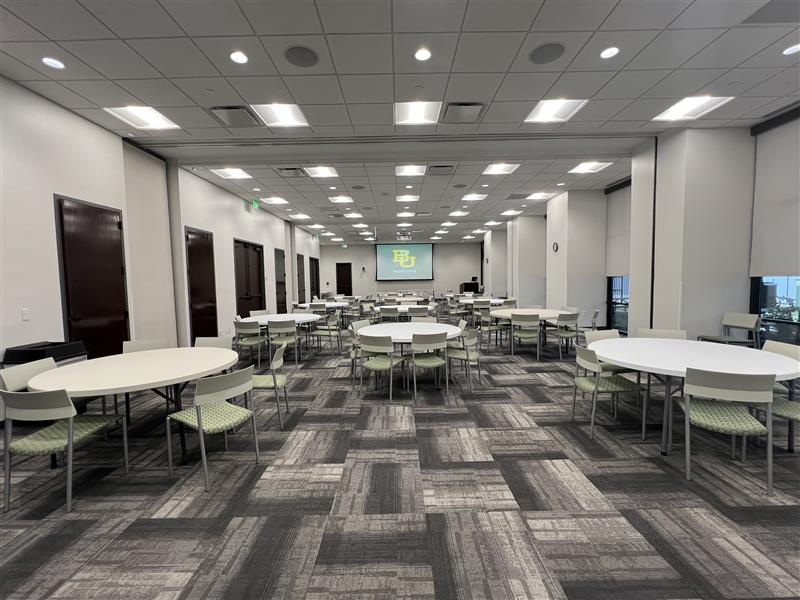
The LHSON Activity Room, made possible by the Sunderland Foundation, is a versatile venue for public events such as conferences, lectures, receptions, and exhibits. It serves as a platform to showcase learning, research, culture, and creativity. LHSON faculty, staff, and recognized student groups may request the space for approved public programs and events.

More Information

Event submission and room reservation request for LHSON click here. For questions, please contact:

  • Office Manager for Academic Affairs: cynthia_cruz@baylor.edu
  • Events Manager: madison_craver@baylor.edu
Room Technology & Equipment
  • Use the Smart Podium – Connect devices via power, HDMI, and audio.
  • Operate the Built-in Computer – Run Zoom, Teams, or presentations with ease.
  • Cast Wirelessly – Share your screen using Solstice.
  • Use the Cameras – Capture both audience and presenter views (Conference Shoot 10).
  • Show Documents – Display papers or objects with the document camera.
  • Project Content – Present using the ceiling projector and screen.
  • Use Microphones – Speak clearly with two Shure handheld or lavalier mics.
  • Play Audio – Use integrated speakers for room sound.
  • Connect Devices – Access HDMI, and Aux cables as needed.
  • View Confidence Monitors – View slides or camera output on left and right displays.

Location: LHSON Academic Building on the first Floor. 

 Capacity:  252
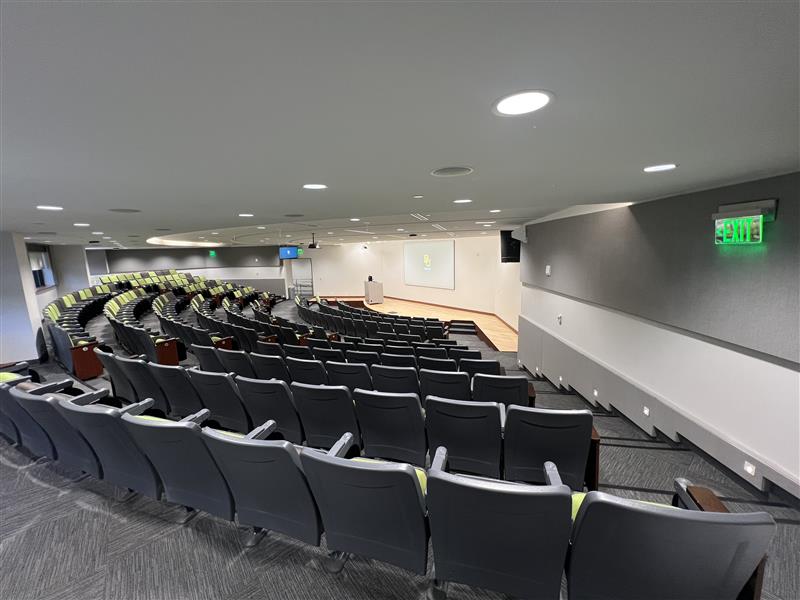
Image of LHSON Auditorium 105 from the left side back of the room
Image of LHSON Auditorium 105 from the right side back of the room
Auditorium 105 Right side stage view
Auditorium 105 left side stage view
Room Technology & Equipment
  • Use the Smart Podium – Connect devices via AC power, HDMI, or audio.
  • Operate the Built-in Computer – Run Zoom, Teams, or presentations in Presentation mode.
  • Control Media & Cast Wirelessly – Stream audio and video using the touch panel or Solstice.
  • Project Content – Display visuals using the ceiling projector and screen.
  • Use Cameras – Capture both audience and presenter views (Conference Shoot 10).
  • Play Audio – Integrated room speakers for clear sound.
  • Use Microphones – Speak with Shure handheld or lavalier mics.
  • Adjust the Space – Two movable room dividers available for flexible layouts.
  • Connect Devices – Access HDMI, and Aux cables as needed.
  • Set Up Audio –  Additional PA system connection points for expanded audio needs.

Location: LHSON Academic Building on the first Floor. 

Capacity: 140, depending on setup, including all Sections A, B, and C. Section A  55, Section B 55, and Section C 30. Up to 20 tables can be used depending on the setup.
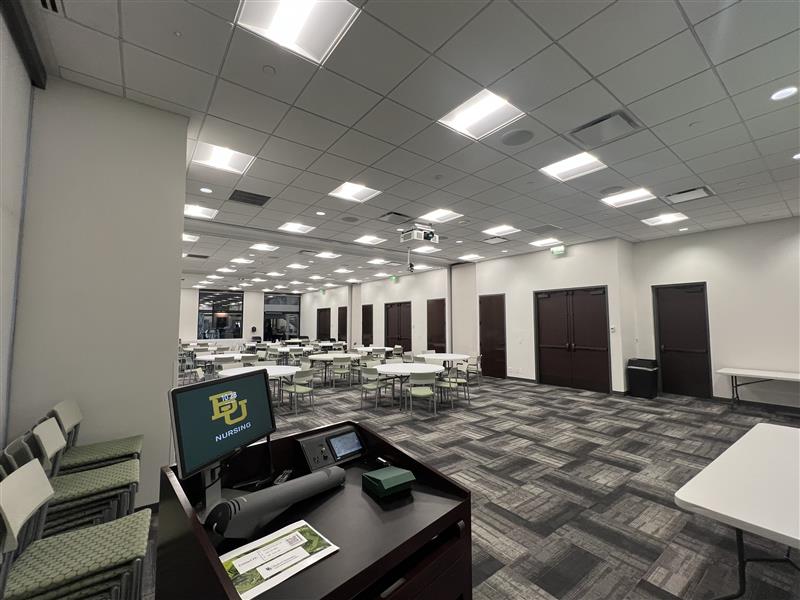
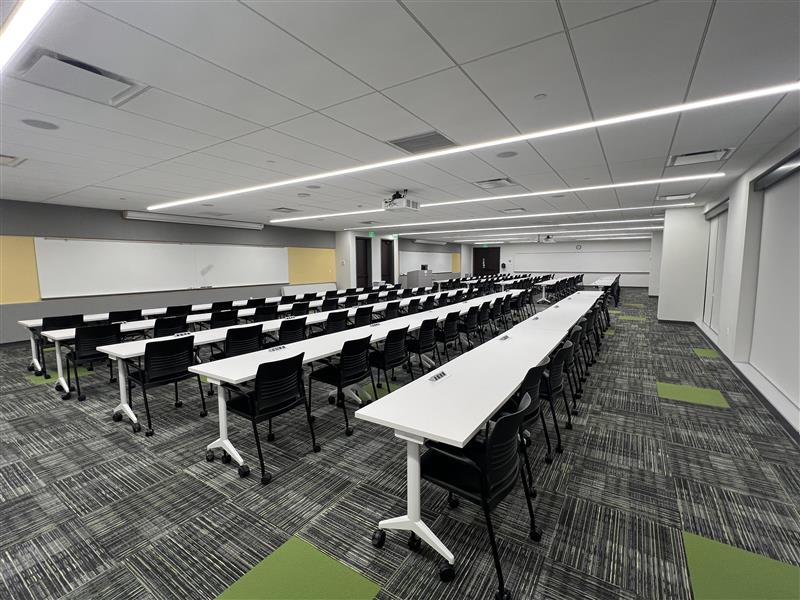
Front view of the activity from the podium
View of the activity room from back of the room.
Technology and Equipment 
  • Use the Smart Podium – Connect devices via AC outlets, HDMI, or audio.
  • Operate the Computer – Run Zoom/Teams and present files with keyboard and mouse.
  • Stream Media – Share audio and video using the touch panel or Solstice.
  • Show Documents – Display books, papers, or objects with the document camera.
  • Project Presentations – Use ceiling projectors and screens.
  • Record or Stream – Capture the room with the Presenter Camera.
  • Enhance Sound – Play audio through room speakers.
  • Use Microphones – Speak or record with Shure handheld or lavalier mics.
  • Connect Your Devices – Use provided HDMI, and audio cables if needed.
  • Write and Draw – Use whiteboards with markers and eraser.
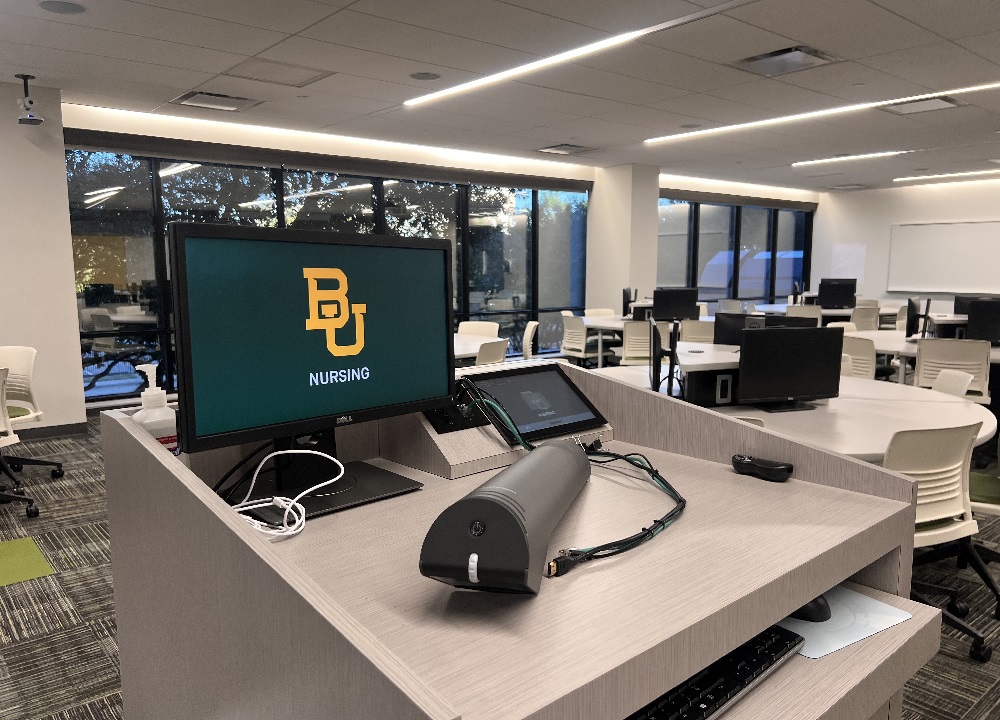
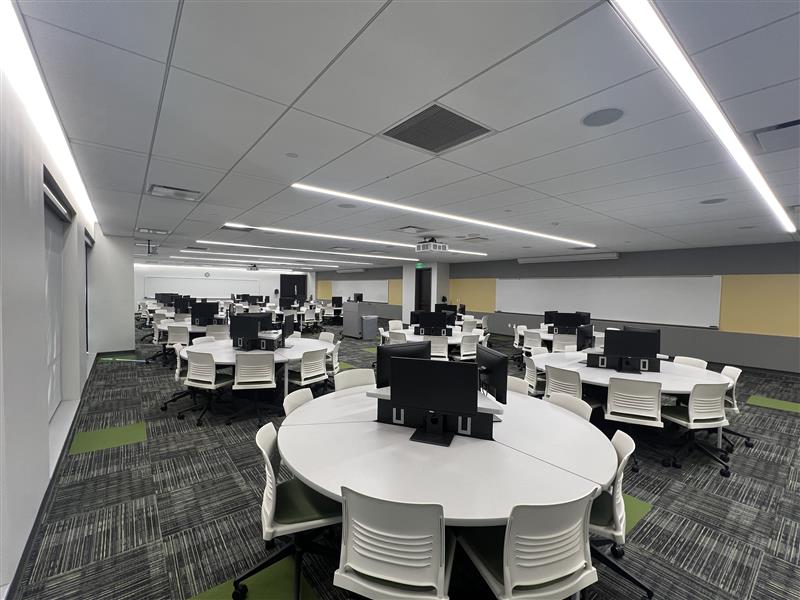
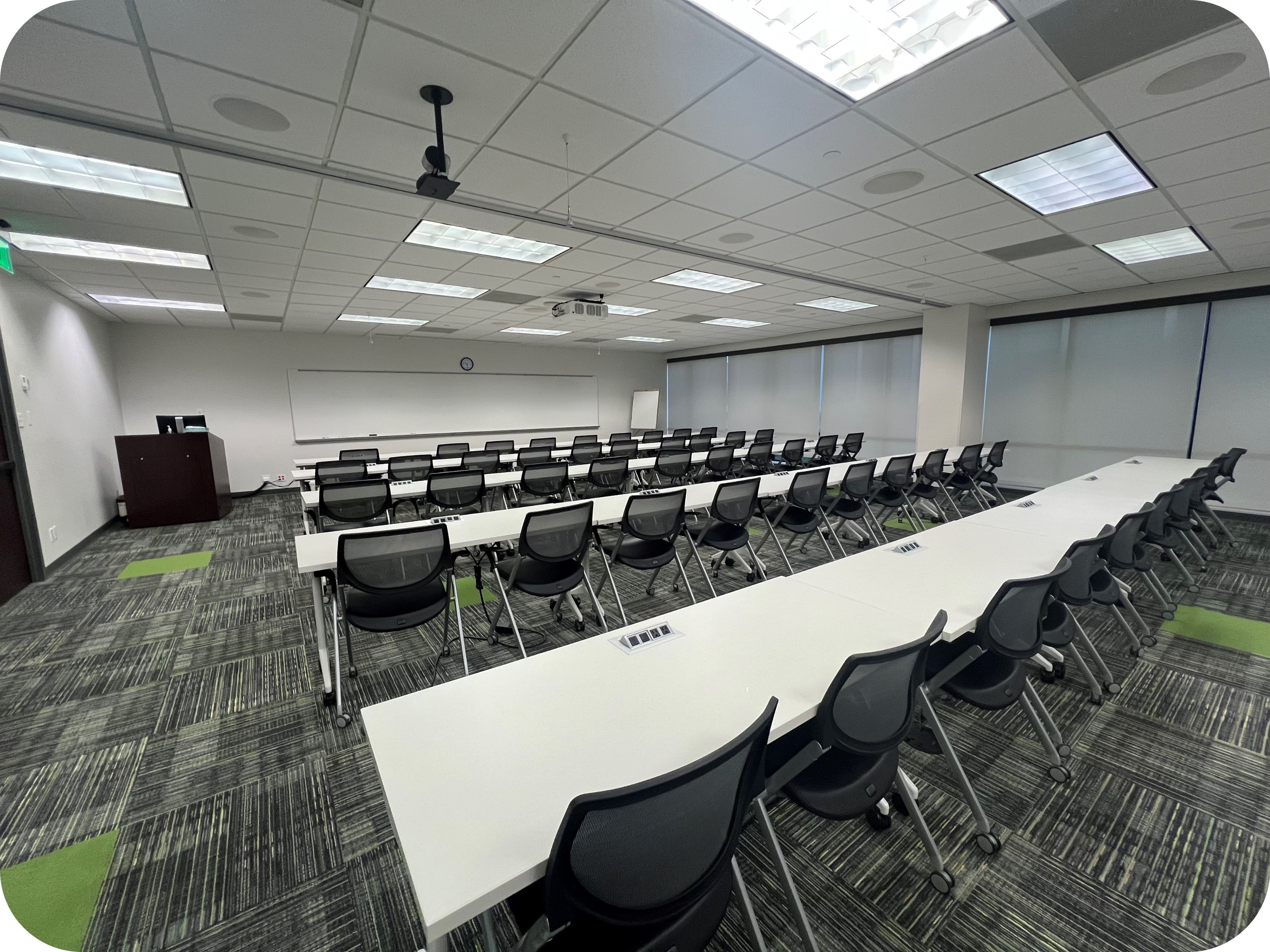
  • Student Pod Tables – 15 tables with 3 monitors showing presenter content; HDMI available for student sharing.

Location: LHSON Academic Building on the second Floor.

Capacity:  135
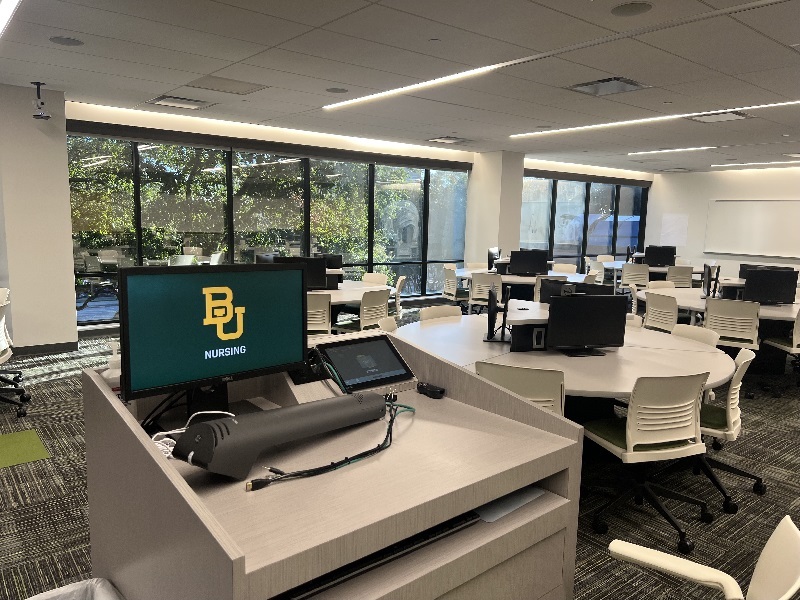
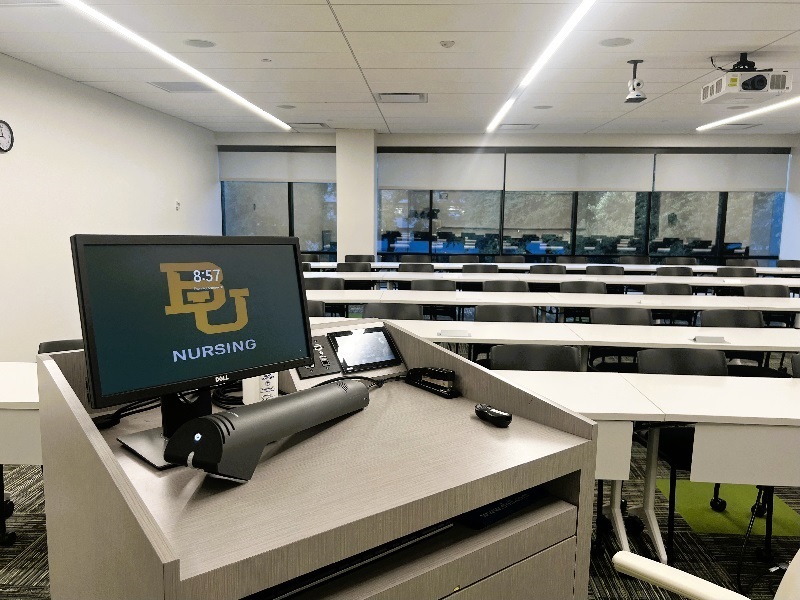
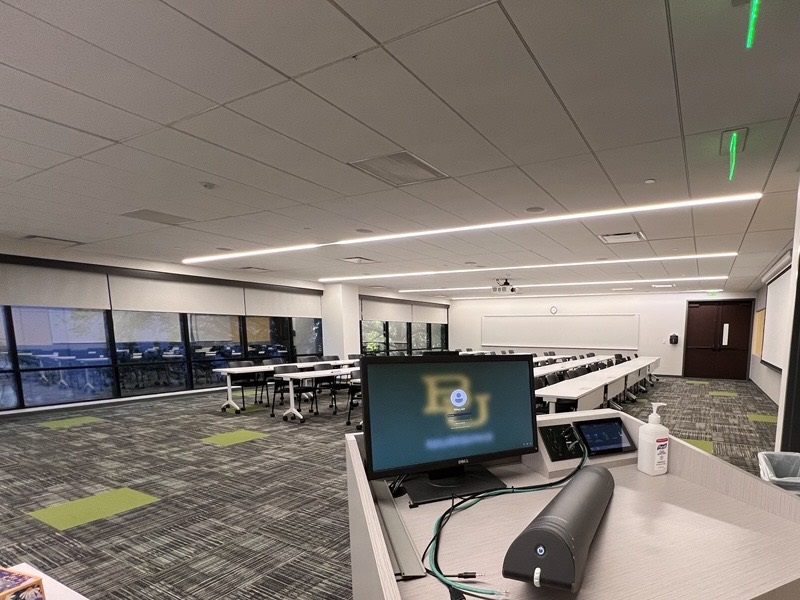
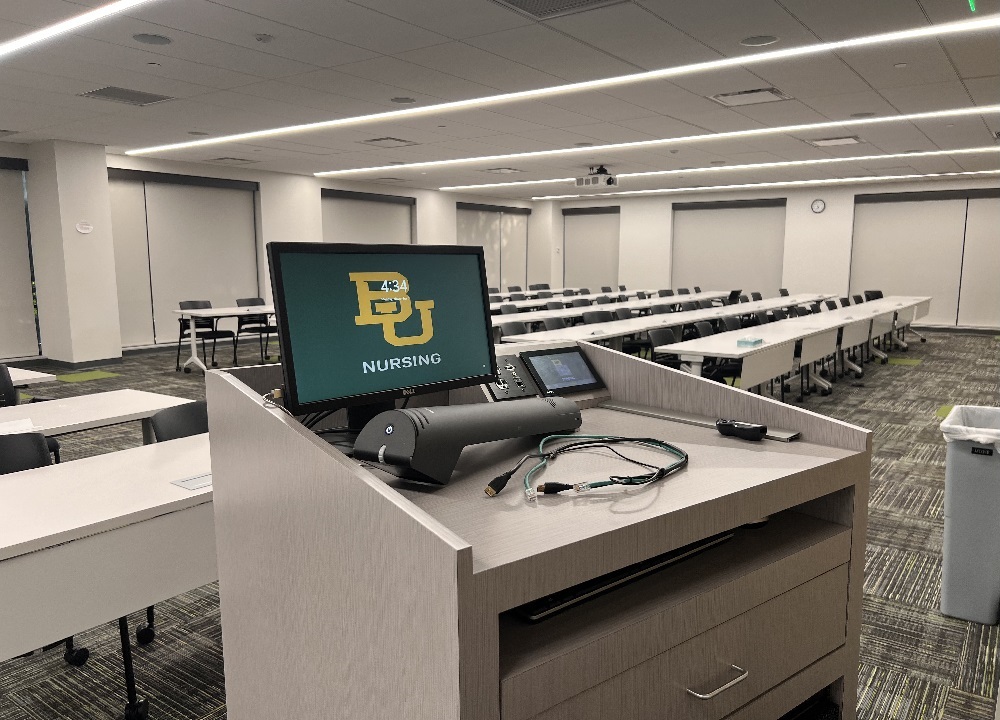
Classroom 203 podium view
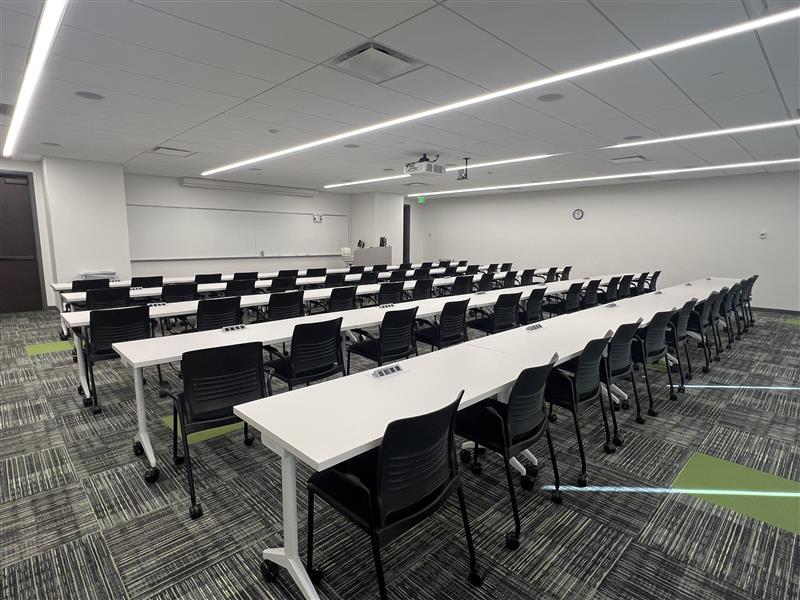
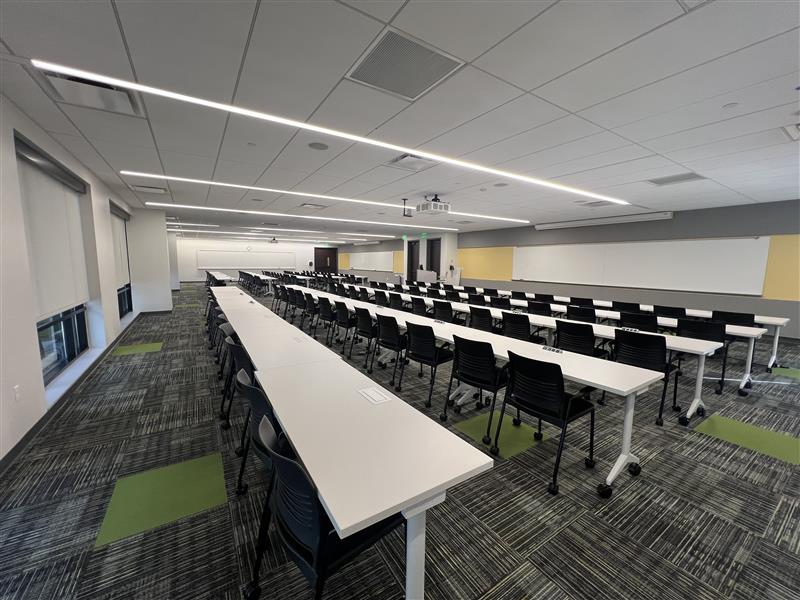
Image of LHSON Classroom 203

Room Technology & Equipment

  • Use the Smart Podium – Connect devices and access the network.
  • Connect Your Devices – Connect up laptops via HDMI, or audio.
  • Operate the Computer – Run Zoom/Teams and present files.
  • Stream Media – Share audio and video via touch panel or Solstice.
  • Show Documents – Display books, papers, or objects with the document camera.
  • Project Presentations – Use the ceiling projector and screen.
  • Record or Stream – Capture the room with the Presenter Camera.
  • Enhance Sound – Play audio through room speakers.
  • Use Microphones – Speak or record with handheld or lavalier mics.
  • Write and Draw – Use the whiteboard for notes and diagrams.

Location: LHSON Academic Building on the second Floor.

Capacity:  60

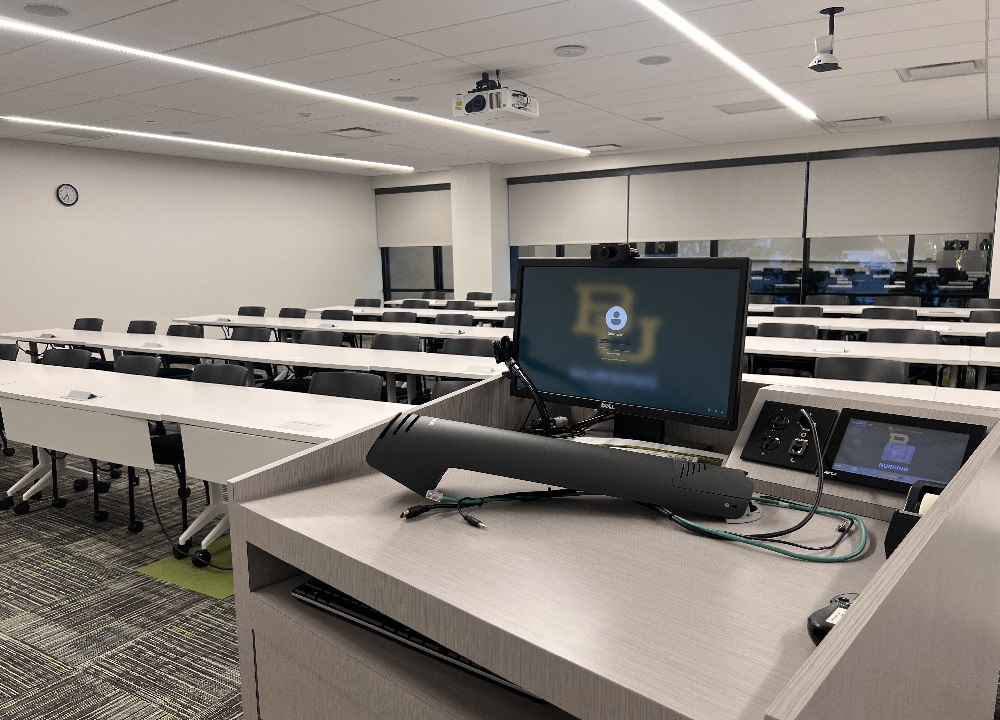
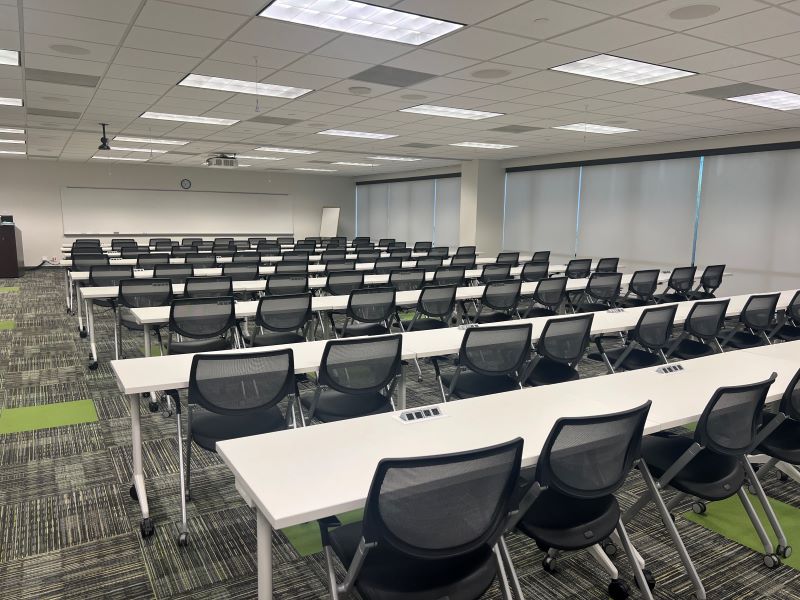
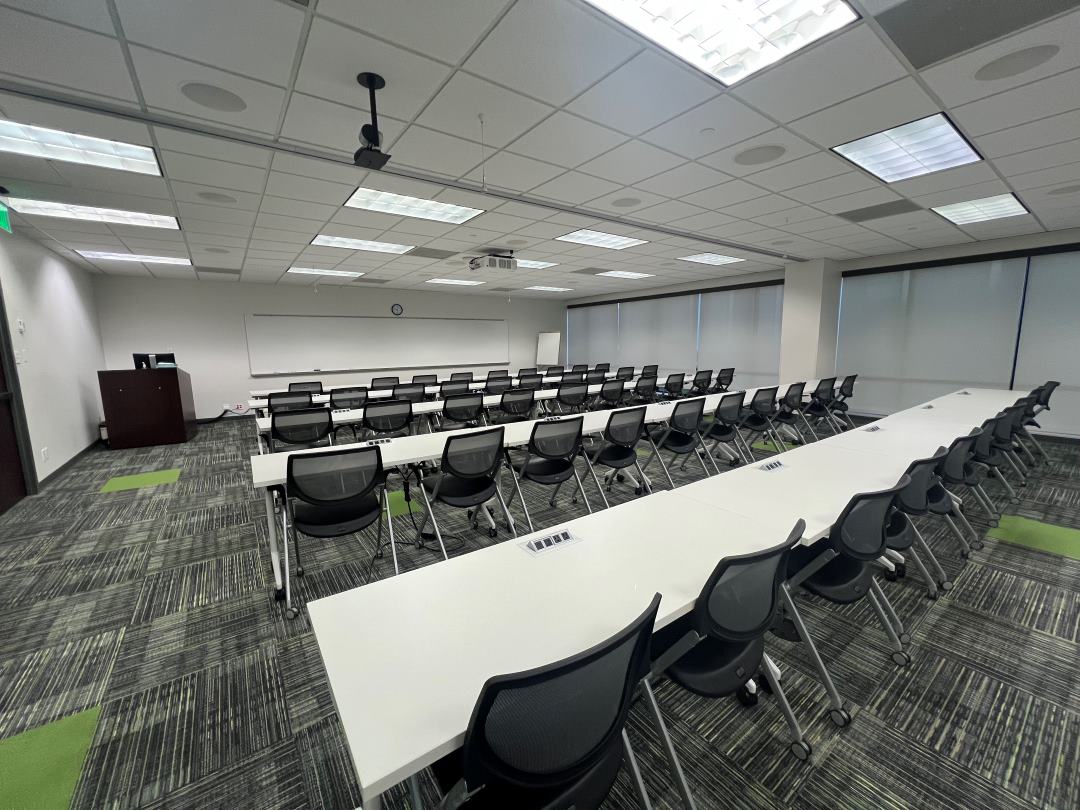
Classroom 205 podium view
Image of LHSON Classroom 205
Technology and Equipment 
  • Use the Smart Podium – Two integrated AC outlets, HDMI, and audio connections.
  • Connect Devices – Access HDMI, and Aux audio cables as needed.
  • Operate the Computer – Includes keyboard and mouse, equipped for Zoom or Teams meetings.
  • Control Media & Stream Wirelessly – Use the touch panel or Solstice for audio and video streaming.
  • Show Documents – Display items with the document camera.
  • Project Presentations – Use ceiling projectors and screens for visual display.
  • Use the Presenter Camera – Capture or stream sessions (Conference Shoot 10).
  • Play Audio – Deliver clear sound through room speakers.
  • Use Microphones – Speak or record with Shure handheld or lavalier mics.
  • Write and Draw – Use three whiteboards with Expo markers and dry eraser.

Location: LHSON Academic Building on the second Floor.

Capacity:  120

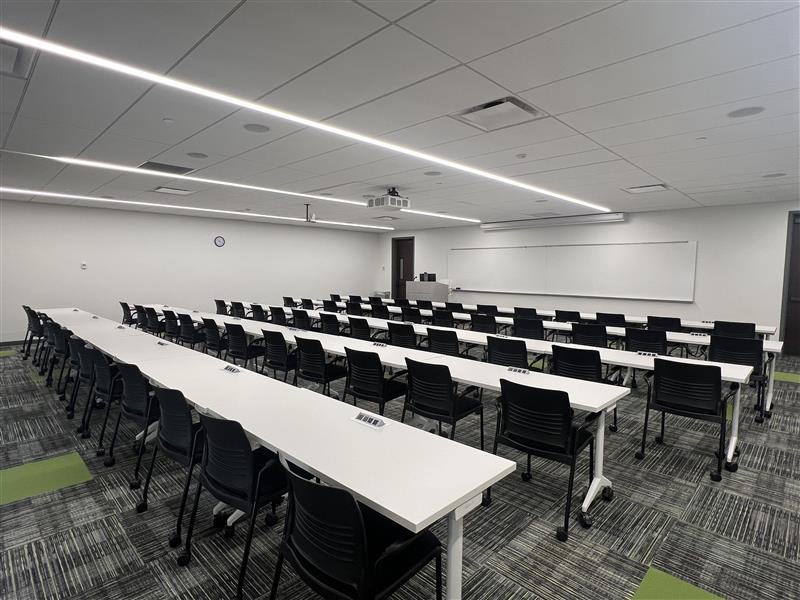
Image of LHSON Classroom 207 from podium view
Image of LHSON Classroom 207
Technology and Equipment 
  • Use the Smart Podium – Two integrated AC outlets, HDMI, and audio connections.
  • Connect Devices – Access HDMI, and Aux audio cables as needed.
  • Operate the Computer – Includes keyboard and mouse, equipped for Zoom or Teams meetings.
  • Control Media & Stream Wirelessly – Use the touch panel or Solstice for audio and video streaming.
  • Show Documents – Display items with the document camera.
  • Project Presentations – Use ceiling projectors and screens for visual display.
  • Use the Presenter Camera – Capture or stream sessions (Conference Shoot 10).
  • Play Audio – Deliver clear sound through room speakers.
  • Use Microphones – Speak or record with Shure handheld or lavalier mics.
  • Write and Draw – Use three whiteboards with Expo markers and dry eraser.

Location: LHSON Academic Building on the second Floor.

Capacity:  120

Image of LHSON Classroom 215 podium view
Image of LHSON Classroom 215
Technology and Equipment 
  • Use the Smart Podium – Two integrated AC outlets, HDMI, or audio connections.
  • Connect Devices – Access HDMI and Aux audio cables as needed.
  • Operate the Computer – Includes keyboard and mouse, equipped for Zoom or Teams meetings.
  • Control Media & Stream Wirelessly – Use the touch panel or Solstice for audio and video streaming.
  • Show Documents – Display items with the document camera.
  • Project Presentations – Use ceiling projectors and screens for visual display.
  • Use the Presenter Camera – Capture or stream sessions (Conference Shoot 10).
  • Play Audio – Deliver clear sound through room speakers.
  • Use Microphones – Speak or record with Shure handheld or lavalier mics.
  • Write and Draw – Use the whiteboard with Expo markers and dry eraser.

Location: LHSON Academic Building on the second Floor.

Capacity:  60

Image of LHSON Classroom 217 podium view
Image of LHSON Classroom 217
Technology and Equipment 
  • Use the Smart Podium – Connect devices via AC outlets, HDMI, or audio.
  • Operate the Computer – Run Zoom/Teams and present files with keyboard and mouse.
  • Stream Media – Share audio and video using the touch panel or Solstice.
  • Show Documents – Display books, papers, or objects with the document camera.
  • Project Presentations – Use ceiling projectors and screens.
  • Record or Stream – Capture the room with the Presenter Camera.
  • Enhance Sound – Play audio through room speakers.
  • Use Microphones – Speak or record with Shure handheld or lavalier mics.
  • Connect Your Devices – Use provided HDMI and audio cables if needed.
  • Write and Draw – Use whiteboards with markers and eraser.
  • Student Pod Tables – 15 tables with 3 monitors showing presenter content; HDMI available for student sharing.

Location: LHSON Academic Building on the second Floor.

Capacity:  135
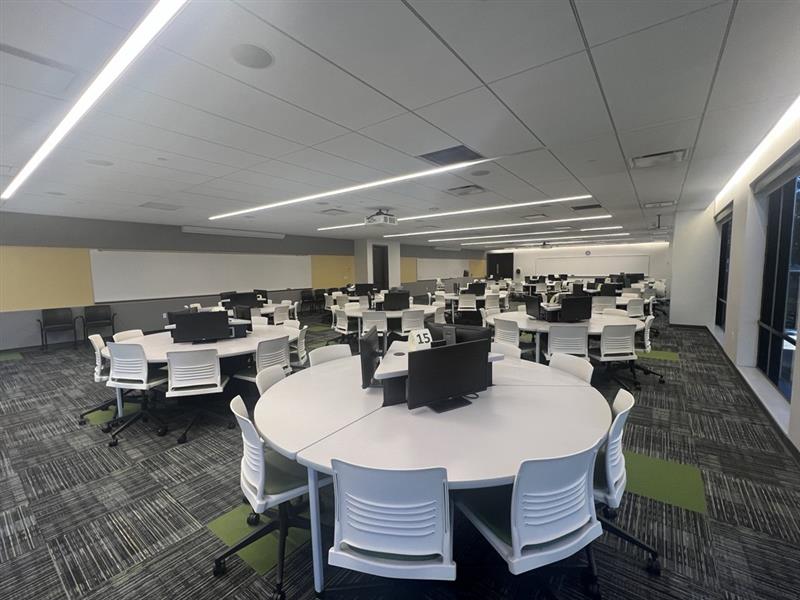
Image of LHSON Classroom 218 podium view
Image of LHSON Classroom 218
Technology and Equipment
  • Use the Smart Podium – Integrated AC outlet, HDMI, or audio connections.
  • Operate the Computer – Includes keyboard and mouse; equipped for Zoom or Teams meetings.
  • Control Media & Stream Wirelessly – Use the touch panel or Solstice for audio and video streaming.
  • Show Documents – Display materials with the document camera.
  • Project Presentations – Use the ceiling projector and screen for visual display.
  • Use Cameras – Capture audience and presenter views (Conference Shoot 10).
  • Play Audio – Deliver clear sound through room speakers.
  • Use Microphones – Speak or record with Shure handheld, lavalier, and ceiling mics.
  • Adjust the Space – Use the movable room divider for flexible layouts.
  • Connect Devices – Access HDMI, and Aux audio cables as needed.
  • Write and Display – Use the whiteboard with Expo markers, eraser, and Post-it easel pad.

Location: LHSON Academic Building on the 4th Floor. 

Capacity:  90
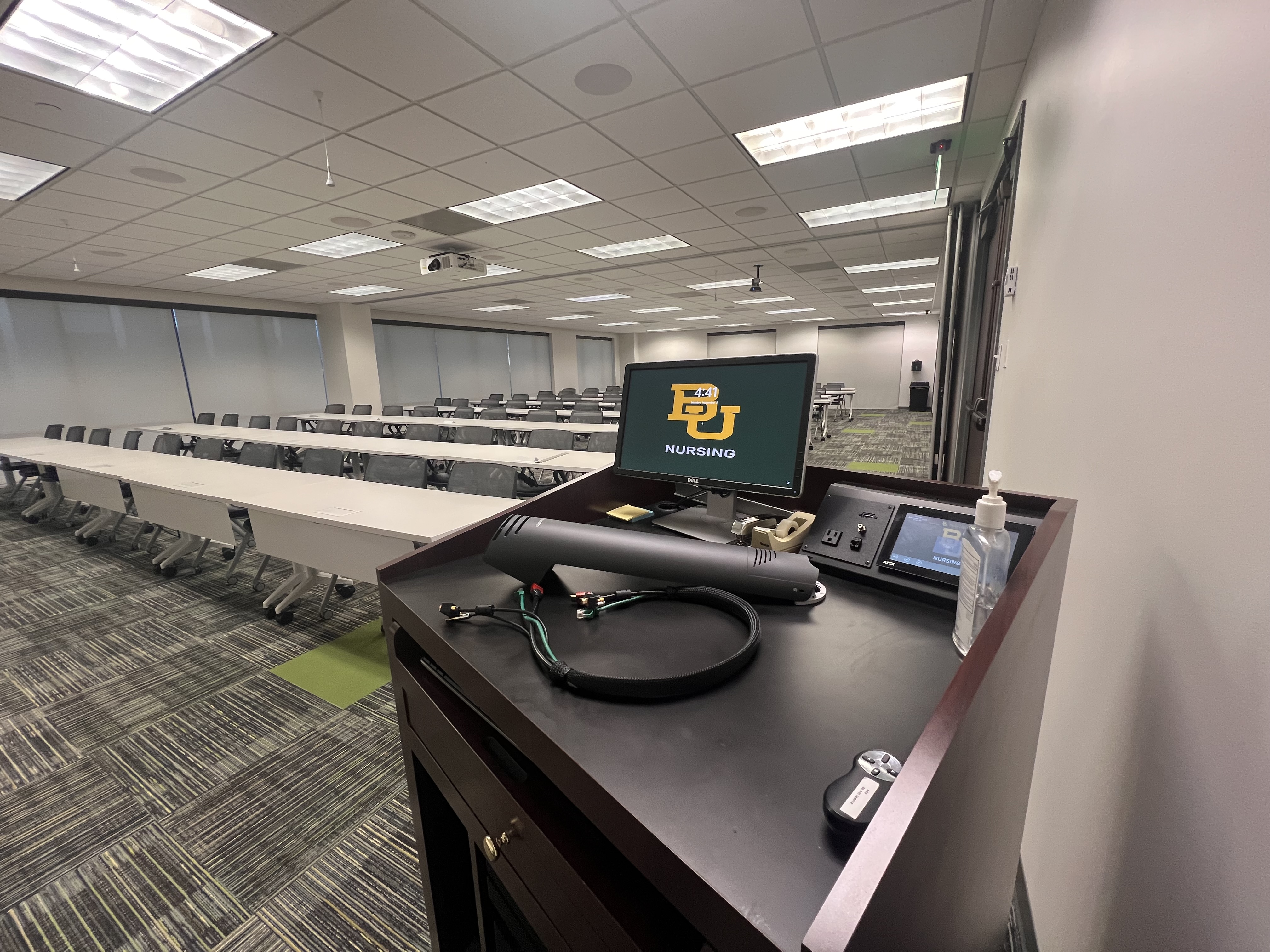
Image of LHSON Classroom 403 podium view
Image of LHSON Classroom 403

Conference Rooms

Technology and Equipment
  • Use the Conference Table – Integrated AC power outlets.
  • Connect Devices – Access HDMI and Aux audio cables as needed.
  • Operate the Computer – Includes keyboard and mouse; equipped for Zoom or Teams meetings.
  • Control Media – Use the touch panel to power devices, adjust volume, and switch seamlessly between inputs.
  • Share Content Wirelessly – Use the ClickShare dongle to stream audio and video from your computer.
  • Display Content – Present on the 65" Samsung TV.
  • Use the Camera – PTZ web camera for conferencing.
  • Play Audio – Clear room sound through integrated speakers.
  • Use Microphones – Ceiling microphone for voice capture.
  • Write and Draw – Use the whiteboard with Expo markers and dry eraser.

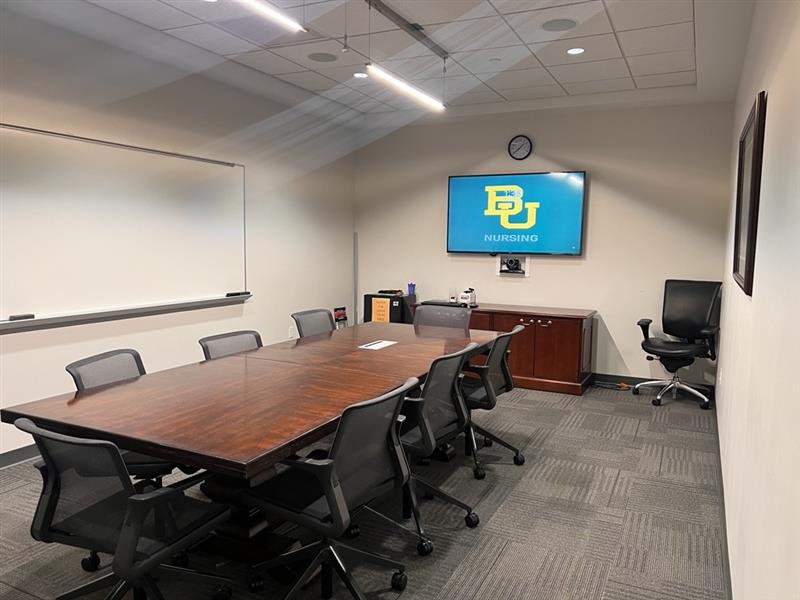
Location: LHSON Academic Building on the first floor in Student Services.

Capacity:  9
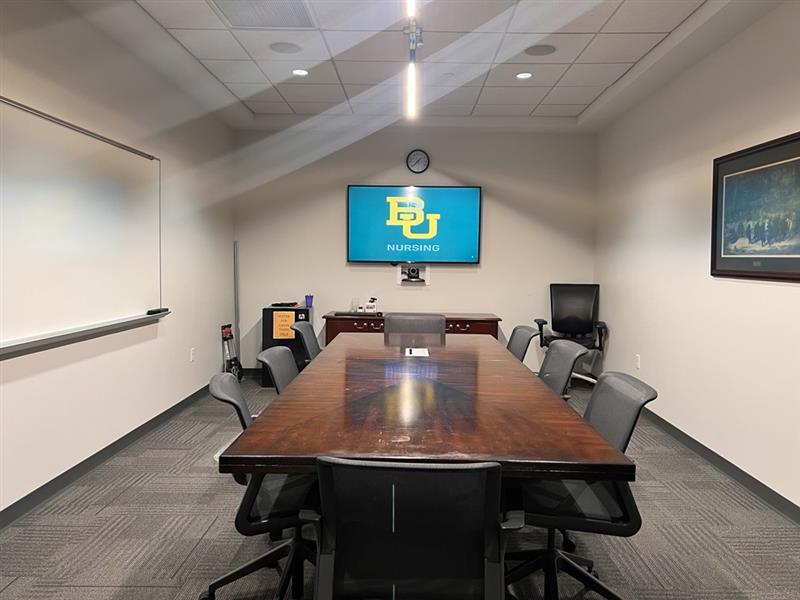
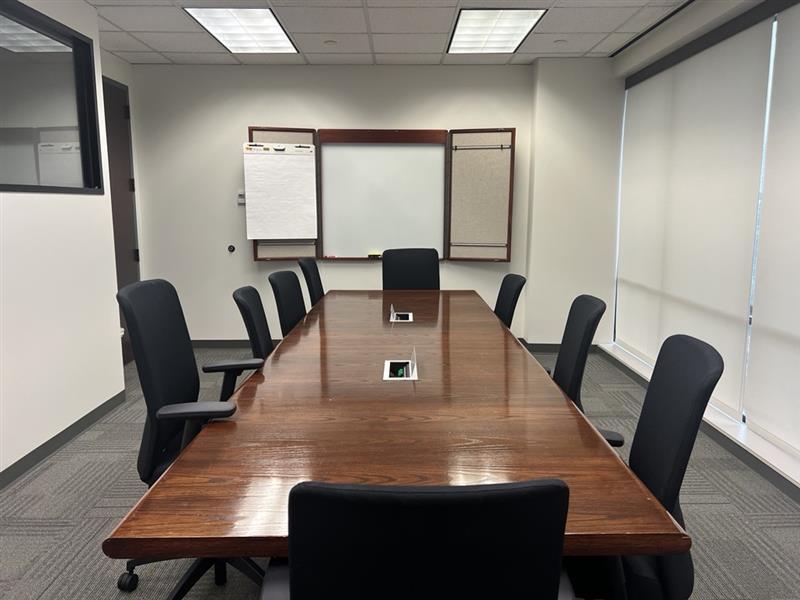
Conference room with a table, chairs and mounted TV
Technology and Equipment
  • Use the Conference Table – Integrated AC power outlets.
  • Connect Devices – Access HDMI and Aux audio cables as needed.
  • Operate the Computer – Includes keyboard and mouse; equipped for Zoom or Teams meetings.
  • Control Media – Use the touch panel to power devices, adjust volume, and switch seamlessly between inputs.
  • Share Content Wirelessly – Use the ClickShare dongle to stream audio and video from your computer.
  • Display Content – Present on the 65" Samsung TV.
  • Use the Camera – PTZ web camera for conferencing.
  • Play Audio – Clear room sound through integrated speakers.
  • Use Microphones – Ceiling microphone for voice capture.
  • Write and Draw – Use the whiteboard with Expo markers and dry eraser.

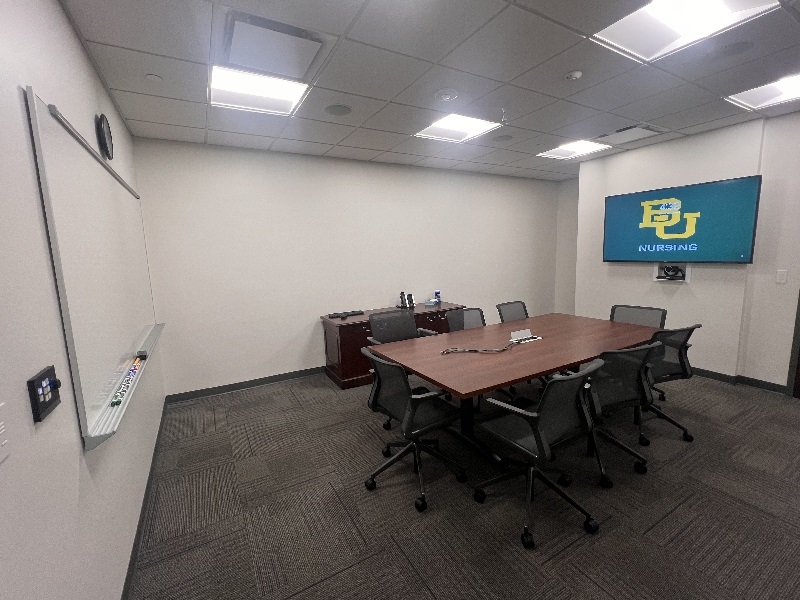
Location: LHSON Academic Building on the 3rdFloor.

Capacity:  8
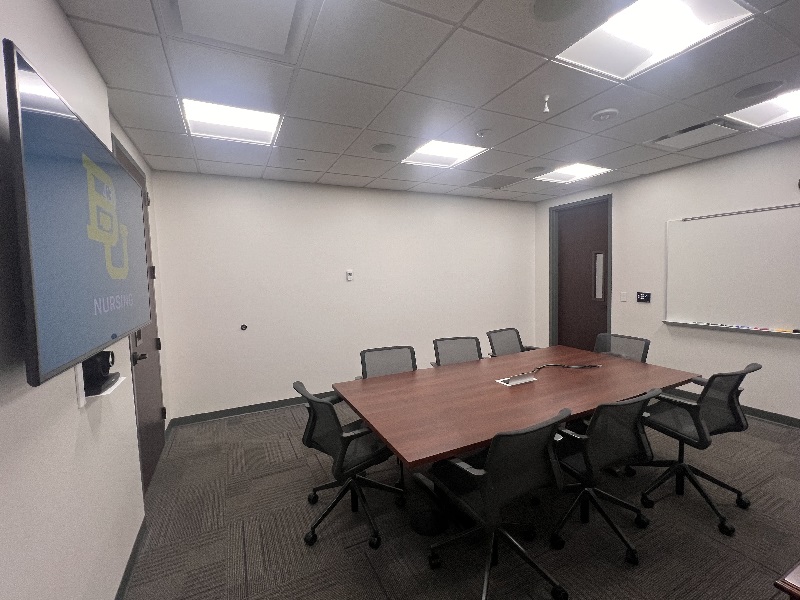
Conference room with a table, chairs and mounted TV
Technology and Equipment
  • Use the Conference Table – Integrated AC power outlets.
  • Connect Devices – Access HDMI and Aux audio cables as needed.
  • Operate the Computer – Includes keyboard and mouse; equipped for Zoom or Teams meetings.
  • Control Media – Use the touch panel to power devices, adjust volume, and switch seamlessly between inputs.
  • Share Content Wirelessly – Use the ClickShare dongle to stream audio and video from your computer.
  • Display Content – Present on the 65" Samsung TV.
  • Use the Camera – PTZ web camera for conferencing.
  • Play Audio – Clear room sound through integrated speakers.
  • Use Microphones – Ceiling microphone for voice capture.
  • Write and Draw – Use the whiteboard with Expo markers and dry eraser.

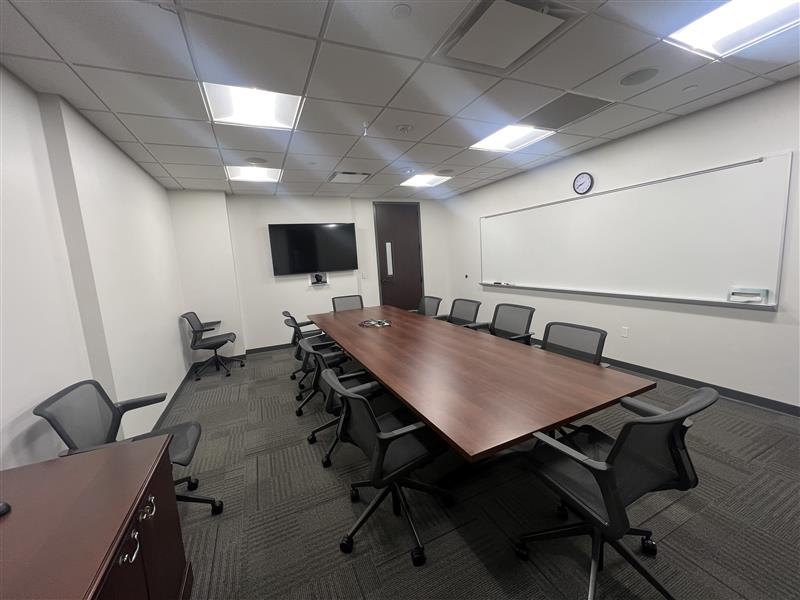
Location: LHSON Academic Building on the 3rdFloor.

Capacity:  12
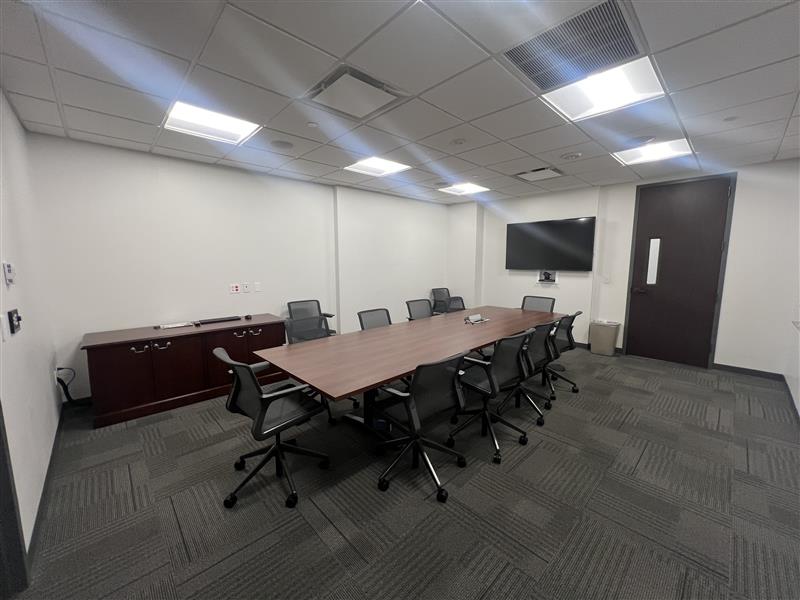
View of Conference room Zoom Certified 302.45
White Board view Conference room 302.45
Technology and Equipment 
  • Use the Conference Table – Integrated AC power outlets for device connection.
  • Connect Devices – Use HDMI cable as needed for direct display connection.
  • Stream Wirelessly – Share audio and video from your computer using two ClickShare dongles.
  • Display Content – Present on the 65" Samsung TV with remote control.
  • Control Media – Manage volume, display, and ClickShare from the AMX control panel.
  • Play Audio – Deliver sound through integrated room speakers.
  • Write and Display – Use the whiteboard with Expo markers, eraser, and Post-it easel pad.

Location: LHSON Academic Building on the fourth Floor near the EMBA offices.

Capacity:  9
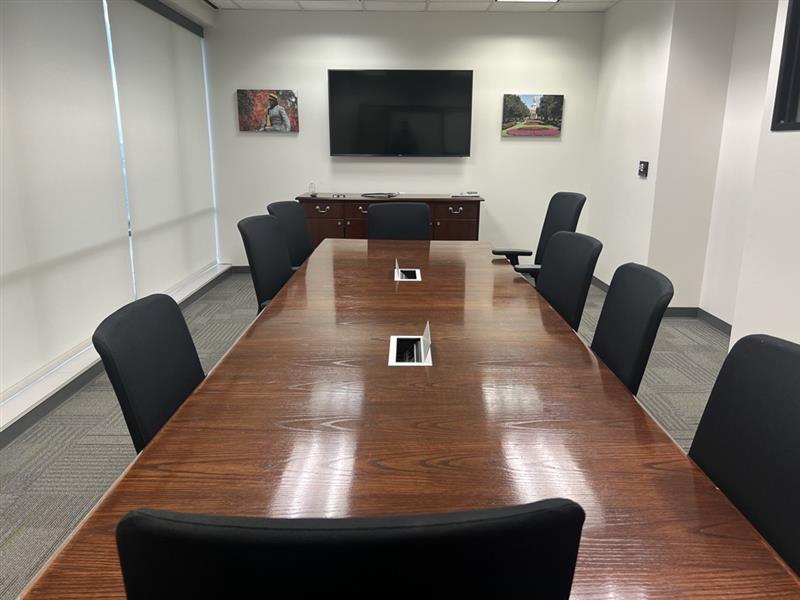
Image of LHSON Conference Room 400.5 front view
Image of LHSON Conference Room 400.5 from the back of the room
Technology and Equipment 
  • Conference table – use the conference table as a work area or meeting space.
  • Access available power – use the outlets to connect and charge your devices.
  • Write and display – use the whiteboard, along with the provided Expo markers and eraser.

Location: LHSON Academic Building on the fourth Floor near the Dean suite.

Capacity:  5
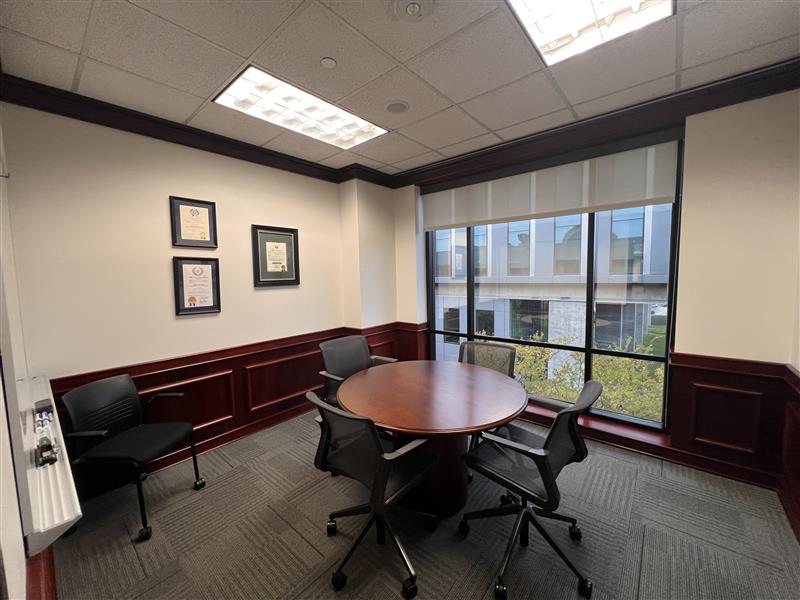
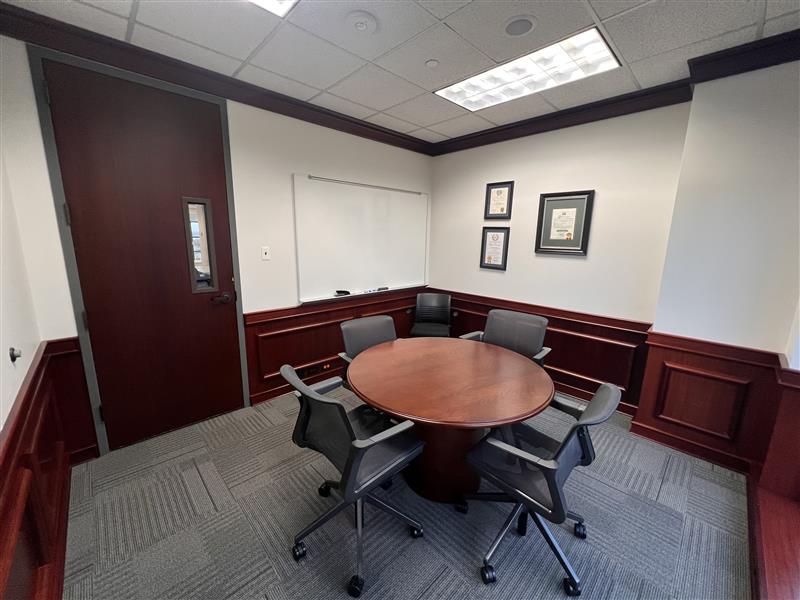
Conference room with a table and 4 chairs
image of a circle conference table and 4 chairs
Technology and Equipment 
  • Conference table – use the conference table as a work area or meeting space.
  • Access available power – use the outlets to connect and charge your devices.
  • Write and display – use the whiteboard, along with the provided Expo markers and eraser.

Location: LHSON Academic Building on the fourth Floor near the EMBA offices.

Capacity:  8
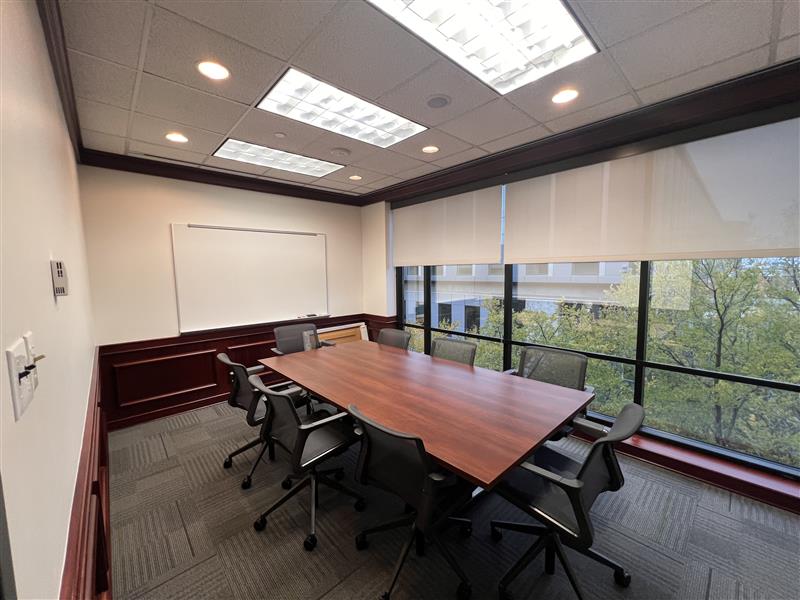
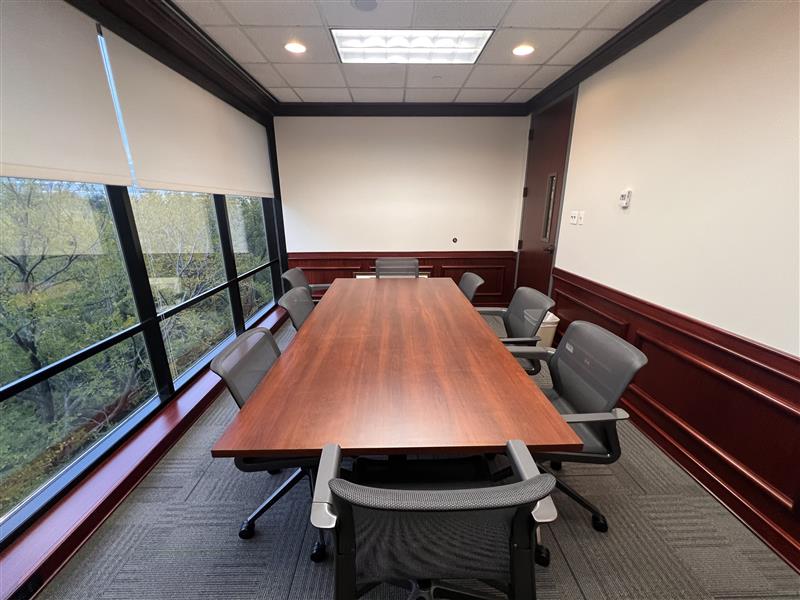
Conference room with a table, chairs and whitboard
Conference room with a table, chairs and whiteboard
Room Technology & Equipment
  • Operate the Computer – Run Zoom, Teams, or presentations with ease.
  • Control Media – Use the touch panel to power devices, adjust volume, and switch seamlessly between inputs.
  • Cast Wirelessly – Share your screen using Solstice or ClickShare.
  • Use the Camera – PTZ web camera for conferencing.
  • Project Content – Present using the ceiling projector and screen.
  • Play Audio – Use integrated speakers for room sound.
  • Use Microphones – Ceiling microphone for voice capture.
  • Write and Draw – Use the whiteboard with Expo markers and dry eraser.

Location: LHSON Academic Building on the fourth Floor. 

Capacity:  30
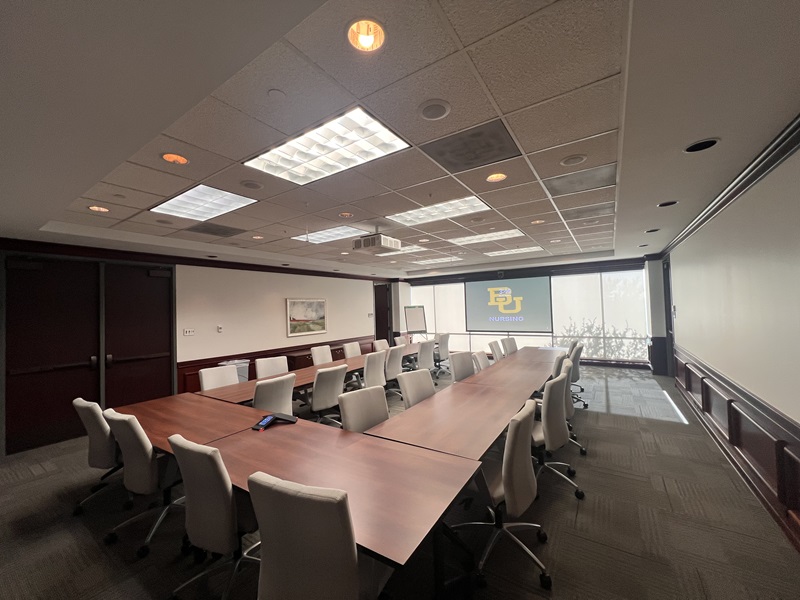
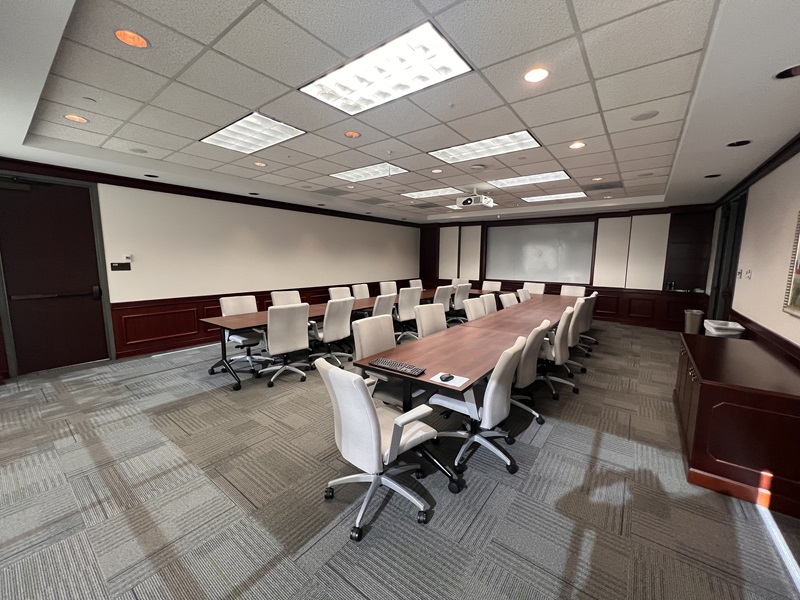
Conference Room front view with U shape table setup
Conference Room rear view with U shape table setup

Louise Herrington School of Nursing

Academic Building
333 North Washington Avenue 
Dallas, Texas 75246-1754

BU_Nursing@baylor.edu
972-576-9100
Apply
Visit Us
Virtual Tour
Give
Baylor BU Louise Herrington School of Nursing About Facilities & Classroom Tech
  • About
    Back
    • Accreditation
    • Welcome from the Dean
    • Leadership
    • Dean's Board of Advocates
      Back
      • Board Member List
    • LHSON Mission Statement and Motto
    • LHSON Overview
      Back
      • LHSON History
        Back
        • LHSON Historical Overview
    • Location & Contact Info
      Back
      • Driving Directions
    • News and Media
      Back
      • Baylor Brand Guide
      • Baylor Student Nurses Summer Camp 2026
      • Bears of Light Podcast
      • Magazine - Learn.Lead.Serve.
      • News Stories & Blogs
      • Pinning & Recognition Ceremony - May 15, 2026
      • White Coat Ceremony -March 20, 2026
      • Videos
        Back
        • 2012 Nursing Gala Video
        • 2013 Going for the Gold Gala
        • 2014 Videos
          Back
          • 2014 Going for the Gold Gala Video
          • 2014 Student Testimony Video
        • 2015 Going for the Gold Gala Video
        • 2016 Videos
          Back
          • 2016 Going for the Gold Gala Video
            Back
            • 2016 Zambia Mission Trip
        • 2017 Videos
          Back
          • 2017 Faculty Celebration of Scholarship Day
          • 2017 Going for the Gold Gala video
          • 2017 LHSON Building Renovation Progress
          • Caroling at BUMC - 2017
          • North Texas Giving Day 2017
          • The Voice of Bears - Nov 2017
        • 2018 Videos
          Back
          • 2018 Going for the Gold Gala Video
          • August 2018 - New Academic Building
          • Fall 2018 - New Academic Building
          • LHSON Academic Building Dedication video- Aug 30, 2018
          • LHSON Building Dedication - 2018
          • Nurse Educator video - Dec. 2018 with Dr. Linda Plank
          • October 2018 - New Building Update
          • STTI 2018 Award to LHSON
          • Statue Dedication - July 10, 2018
        • 2019 Videos
          Back
          • 2019 Alumni Reunion Greeting from Dr. Linda A. Livingstone, Ph.D.
          • 2019 Going for the Gold Gala video
          • Give Light - LHSON 2019
        • 2020 Videos
          Back
          • 2020 Going for the Gold Gala Video
          • 2020 Why Baylor - Freshman Premier
          • 2020 Winter Pinning & Recognition Ceremony, Nov 20, 2020
          • 2020 video - Distance Accelerated BSN
          • DABSN White Coat Ceremony - Fall 2020
          • FastBacc White Coat Ceremony - Fall 2020
          • Highest GPAs - Spring 2020
          • Traditional White Coat Ceremony - Fall 2020
          • Virtual 2020 Going for the Gold Gala - November 12, 2020 video program
          • Virtual Celebration of May 2020 Grads
          • Virtual Pinning and Recognition Ceremony - August 2020
        • 2021 Videos
          Back
          • 2021 Alumni Reunion - Full Program Video
          • 2021 May Pinning & Recognition Ceremony
          • Clinical Simulation Building - 2021 Tour
          • March 2021 - DABSN White Coat Ceremony
          • March 2021 - Traditional BSN White Coat Ceremony
        • 2022 Videos
          Back
          • 2022 - Gala - Clyde Hart Video
          • 2022 - Gala - History Video
          • 2022 Pinning and Recognition - May
        • Albert Schweitzer Fellowship video
        • Being BU Nursing Student during COVID 19
        • Donor Thank You From LHSON Students
        • Faculty Learning Hub Walk Through
        • Faculty Spotlight - Dr. Claudia Beal
        • LHSON Alum Allyson Smith Shares Remarks During Covid-19
        • LHSON Grads Share Remarks During COVID-19
        • LHSON overview video
        • Let Them See Jesus - Film, Courtesy of Sandbox Productions
        • Louise Herrington Ornelas-1996 Horatio Alger Award Winner
        • New LRC Resources
        • Radio Interview with Debra Tibbetts
        • Research Video - Dr. Kelly Rossler
        • Study Abroad - Global Health in Africa
        • The Inspiration For Let Them See Jesus Film
        • Video Feedback Experience
    • Alumni & Friends - LHSON
      Back
      • Alumni Connect - Nursing Group
      • Alumni Reunion 2023 - photo Powerpoint
      • Alumni Reunion 2026
      • LHSON Central Texas Nursing Alumni - Spring Meet & Greet Reception
      • Pre-Nursing End of Year Farewell Party
    • Events
    • Facilities & Classroom Tech
    • Information Technology
      Back
      • Examsoft
      • LHSON IT Staff
      • Recommended Minimum Laptop Requirements
    • Hazardous Weather
    • STTI Eta Gamma Chapter
      Back
      • STTI - The Circle
      • Sigma Scholarships
    • Awards at LHSON
      Back
      • Daisy Award LHSON Recipients
      • The DAISY Award at LHSON
      • The Learn.Lead.Serve Award Recipients
      • The Learn.Lead.Serve Award
  • Academics
    Back
    • Pre-Nursing
    • Undergraduate BSN Program & Resources
      Back
      • Traditional BSN Track
        Back
        • Accreditation
        • FAQs
        • Information Sessions
        • Transfer Information for Pre-Nursing
      • FastBacc
        Back
        • Accreditation
        • FastBacc: Request More Information
        • Curriculum
        • FAQs
        • FastBacc Media Highlights
        • FastBacc eNewsletter Sign Up
        • History of FastBacc
        • Information Sessions
        • The Sisterhood Guide to Eating Well
        • Transfer Information for Pre-Nursing
      • Distance Accelerated BSN Program Track
      • Undergraduate Handbook
      • Preceptor Support for Undergraduate
    • Graduate Program and Resources
      Back
      • DNP Adult Gerontology Acute Care Nurse Practitioner - Online Track
      • DNP Executive Nurse Leadership - Online Track
      • DNP Family Nurse Practitioner - Online Track
      • DNP Neonatal Nurse Practitioner - Online Track
      • DNP Nurse Midwifery - Online Track
      • DNP Pediatric Nurse Practitioner - Online Track
      • DNP Psychiatric Mental Health Nurse Practitioner - Online Track
      • DNP U.S. Army Anesthesia Nursing Program
      • Graduate Catalog
      • Criminal History and Occupational License Notice
    • Online Nursing Program Tracks
    • Learning Resource Center
      Back
      • LHSON Nursing Resources
      • LHSON Research & Scholarship Opportunities
      • Library Catalog
      • Nursing Databases
    • Clinical Simulation Building
      Back
      • 2HeadsR>1
      • Facilities Tour
      • Contact
  • Admissions
    Back
    • Undergraduate Admissions
      Back
      • Transfer
      • Second Degree (Post Baccalaureate)
        Back
        • Traditional
        • FastBacc
        • DABSN
      • NursingCAS
      • HESI A2 Information
      • Undergraduate Admission Policies
      • Eligibility for NCLEX-RN
    • Graduate Programs Admission
      Back
      • Doctor of Nursing Practice - Online Programs
      • DNP Executive Nurse Leadership - Online Program
      • DNP U.S. Army Anesthesia Nursing Program
    • Tuition and Financial Aid
    • Information Sessions
    • Online DNP Programs
  • Research & Scholarship
    Back
    • Research Support
      Back
      • Research Support Contacts
    • Grant & Funding Resources
    • Research and Scholarship Events
      Back
      • Distinguished Lectureships
      • News
      • Research & Scholarship Showcase hosted by Sigma Eta Gamma Chapter
    • Office for Vice Provost for Research
    • Grant Awards & Funded Projects
    • Research Seminars & Workshops
      Back
      • 2021-2022 - Research Seminars & Workshops
      • 2022-2023 - Research Seminar and Workshops
      • 2023-2024 - Research Seminars and Workshops
      • 2024-2025 - Research Seminars and Workshops
      • 2025-2026 - Research Seminars and Workshops
  • Global
    Back
    • Baylor Bears Abroad
    • Global Overview
    • Service and Missions Overview
    • Summer 2025 - Global Initiatives
      Back
      • India Mission Trip - Summer 2025
      • Kenya Mission Trip - Summer 2025
      • Rio Grande Valley Mission Trip - Summer 2025
      • Study Abroad Vietnam - Summer 2025
      • Zambia Mission Trip - Summer 2025
  • Give
    Back
    • Give Now
    • Going for the Gold Gala History
    • LHSON Endowed Scholarship Celebration Dinner 2024
    • LHSON Historical Gallery
    • Endowment Plaques
  • Student Services
    Back
    • Student Services Overview
    • Why Baylor? Undergrad Admission Overview
    • Orientation: Electronic Information
    • Current Students
      Back
      • Pinning, Graduation & Licensure
    • Barnabas Success Center
      Back
      • Academic Support - Career Services
        Back
        • Resume Action Words
        • Sample Behavioral Interview Questions
        • Letter of Recommendation Request Form
    • Parents in Prayer
    • Spiritual Life
      Back
      • LHSON Spiritual Life
      • Missio Program through BU Institute for Faith and Learning
    • LHSON Student Organizations
    • Sparrow House Counseling
    • Student Campus Information
      Back
      • Background Check
      • Baylor Student IDs
      • Baylor Student IDs
      • BearID Activation
      • CPR Training Requirement
      • Class Schedules and Textbooks
      • Financial Aid Checklist
      • Health Form
      • Name Badge Requirement
      • Transcripts
      • Uniforms and Equipment
    • Baylor Campus Resources
    • The LHSON Store (food pantry)
    • Student Health Insurance
    • Parents of Students
  • Faculty/Staff
    Back
    • Emeritus BU Nursing Faculty
    • LHSON Faculty-Staff Book Club
    • Faculty/Staff Overview
      Back
      • LHSON Organizational Chart
    • Administrative Faculty
    • Nursing Faculty Overview
    • Faculty
    • Staff
    • Prospective Faculty & Staff
      Back
      • Benefits & Advantages
    • Full-Time Staff Positions
    • Full-Time Faculty Positions
      Back
      • Clinical Professor (all ranks)
    • Part-Time Faculty Positions
  • Links
    Back
    • The Learn.Lead.Serve Award
  • General Information
  • Academics & Research
  • Administration
  • Admissions
  • Gateways for ...
  • About Baylor
  • Athletics
  • Ask Baylor
  • Bookstore
  • Calendar
  • Campus Map
  • Directory
  • Give to Baylor
  • News
  • Search
  • Social Media
  • Strategic Plan
  • College of Arts & Sciences
  • Diana R. Garland School of Social Work
  • George W. Truett Theological Seminary
  • Graduate School
  • Hankamer School of Business
  • Honors College
  • Law School
  • Louise Herrington School of Nursing
  • Moody School of Education
  • Research at Baylor University
  • Robbins College of Health and Human Sciences
  • School of Engineering & Computer Science
  • School of Music
  • University Libraries, Museums, and the Press
  • More Academics
  • Athletics
  • Compliance, Risk and Safety
  • Human Resources
  • Marketing and Communications
  • Office of General Counsel
  • Office of the President
  • Office of the Provost
  • Operations, Finance & Administration
  • Senior Administration
  • Student Life
  • University Advancement
  • Undergraduate Admissions
  • goBAYLOR
  • Graduate Admissions
  • Baylor Law School Admissions
  • Social Work Graduate Programs
  • George W. Truett Theological Seminary Admissions
  • Online Graduate Professional Education
  • Virtual Tour
  • Visit Campus
  • Alumni & Friends
  • Faculty & Staff
  • Online Graduate Professional Education
  • Parents
  • Prospective Faculty & Staff
  • Prospective Students
  • Students
  • Anonymous Reporting
  • Annual Fire Safety and Security Notice
  • Cost of Attendance
  • Digital Privacy
  • Legal Disclosures
  • Mental Health Resources
  • Notice of Non-Discrimination
  • Report It
  • Title IX
  • Web Accessibility
 
Baylor University
Copyright © Baylor® University. All rights reserved.
Baylor University • Waco, Texas 76798 • 1-800-229-5678